
Most wasted Google Ads spend does not come from bad ads. It comes from bad keyword selection. You can have the most compelling headline in South Africa, a perfectly designed landing page, and a healthy daily budget, yet still waste money if your keywords are attracting the wrong people.
This guide walks you through keyword research for Google Ads from scratch. Whether you are a business owner setting up your first campaign or a marketer taking over an account that has been wasting spend, these eight steps will give you a structured, repeatable process for finding the keywords that will actually generate qualified leads and sales for your business.
Keywords are the foundation everything else builds on. See our Google Ads guide for how this step fits alongside bidding, tracking, and campaign structure.
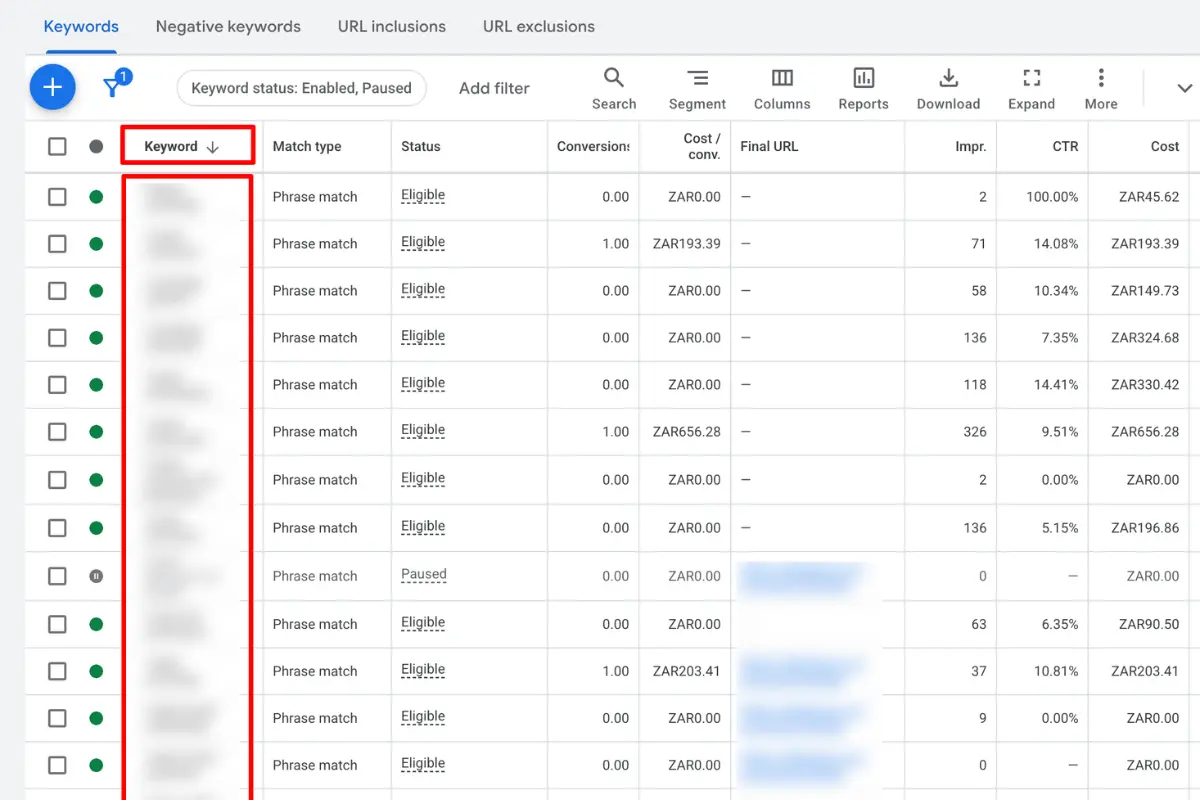
Why Keyword Research for Google Ads Is Different to SEO
If you have done SEO keyword research before, it is tempting to apply the same approach to Google Ads. The logic seems sound: find high volume keywords, target them, and get traffic. But the two approaches have fundamentally different goals, and using an SEO mindset in a paid campaign could be one of the most common and expensive mistakes you make.
In SEO, you are optimising for traffic volume over a long time horizon. A keyword with 10,000 monthly searches is attractive even if many of those searchers are still in research mode, because you are not paying per click.
In Google Ads, every click costs money. A keyword with 200 monthly searches that generates R8,000 per month in clients is worth far more than a keyword with 5,000 searches that attracts people looking for a free solution. Depending on your goals, intent beats volume every time.
The other critical difference is speed. SEO can take months to yield results. Google Ads gives you data within days. You can test which keywords convert and cut the ones that do not before they drain your budget. This makes keyword selection in paid search both more urgent and more forgiving: you must choose carefully up front, but you can correct quickly if you notice anything out of the ordinary.
Each platform needs its own approach. Authors on Amazon, for example, use a dedicated KDP keyword research tool rather than Google’s data.
In South Africa specifically, where most business budgets sit between R5,000 and R30,000 per month in ad spend, the margin for error is smaller than in markets, such as the US, where advertisers routinely spend six figures. Getting keyword selection right from the start is not optional. It is the difference between a campaign that pays for itself and one that gets switched off after 60 days.
Step 1: Define Your Campaign Goal and Ideal Customer
Before you open Google Keyword Planner or type a single keyword into a spreadsheet, you need to answer two questions.
What does success look like for you?
A phone call, a form submission, a booked appointment, an online purchase?
Who is the customer you are trying to reach, and what language do they use to describe their problem?
The first question determines which keywords are worth paying for. If you run a security company and your goal is to book site assessments, a keyword like “home security tips” is irrelevant because the searcher wants advice, not a quote. A keyword like “security company Johannesburg” is far more likely to convert.
The second question is more nuanced. Your customers do not always use industry terminology. A pest control company might call it “fumigation”, but their customers might search for “get rid of cockroaches Cape Town”. Writing down five to ten phrases your customer might type when they need your product or service, before you touch any tool, anchors the entire research process in reality rather than assumption.
| Campaign Goal | Example Seed Keywords to Start With |
|---|---|
| Generate plumbing leads | burst pipe repair, emergency plumber Johannesburg, geyser replacement cost |
| Book legal consultations | divorce lawyer Cape Town, labour dispute attorney, property attorney fees |
| Sell accounting software | accounting software South Africa, small business bookkeeping software |
| Drive ecommerce sales | buy running shoes online SA, trail running shoes Cape Town delivery |
Step 2: Build Your Seed Keyword List
A seed keyword is a short, broad term that describes your core offering. It is not your final keyword list. It is the raw data you will feed into research tools to uncover the specific terms worth bidding on.
There are three reliable sources for seed keywords.
1. Your own website copy
Your homepage, service pages, and product descriptions already contain the language you use to describe what you do.
2. Competitor websites
Open the top three or four competitors in your space and read their homepage and service page copy carefully. Note the specific phrases they use. You are not looking for their ad copy. You are looking for how they describe the service to a customer who has never heard of them.
3. Your customers’ own language
This is the most underused source. Read your Google reviews. Listen to your sales calls. Look at the questions people ask in your enquiry forms. Customers describe their problem differently to how a business describes its solution, and those customer phrases are often the highest converting keywords in any account.
Once you have gathered 20 to 40 seed keywords from these three sources, organise them into a spreadsheet with columns for the keyword, its source, and a rough intent classification (more on intent in Step 4). Do not filter anything out yet. That comes next.
Step 3: Use Google Keyword Planner to Expand and Validate
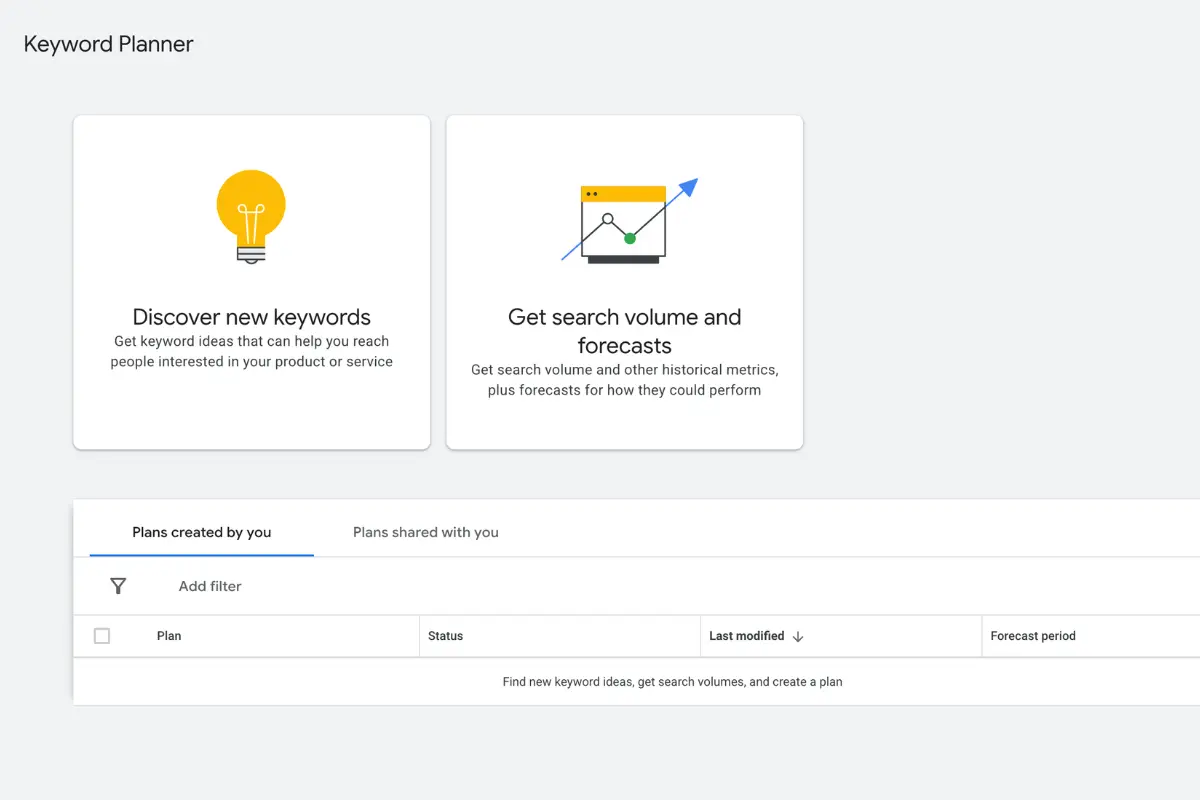
Google Keyword Planner is a free tool built into every Google Ads account. It is the most reliable source of search volume and cost per click data for South Africa because it draws directly from Google’s own data. Many third party tools estimate South African volumes poorly, which makes Keyword Planner the right starting point for any local campaign.
How to Access Google Keyword Planner
- Log in to your Google Ads account.
- Click the tools icon (spanner) in the top navigation.
- Under “Planning”, select “Keyword Planner”.
- Choose “Discover new keywords”.
Paste your seed list into the keyword field, or enter your website URL to let Google suggest keywords based on your page content. Then, critically, set your location to South Africa (or a specific province or city if you are a local business). This filters volume data to reflect South African search behaviour rather than global or US figures.
Understanding the Keyword Planner Columns
- Average monthly searches: how often this term is searched in your target location. Treat anything below 30 as too small for a standalone campaign unless it is extremely high intent.
- Competition: Low, Medium, or High. This reflects how many advertisers are bidding on this keyword, not how difficult it is to rank organically.
- Top of page bid (low range and high range): the estimated cost per click range for appearing at the top of the page. These figures are in Rands when your location is set to South Africa, and give you a realistic sense of what each click will cost.
South African CPC Benchmarks
| Industry | Typical CPC Range (ZAR) |
|---|---|
| Home services (plumbing, electrical) | R8 to R35 |
| Legal services | R45 to R150+ |
| Financial services and insurance | R30 to R120 |
| Healthcare and medical | R15 to R60 |
| Ecommerce (non luxury | R3 to R2 |
| Real estate | R20 to R80 |
| Education and training | R10 to R40 |
Filtering Your Keyword List
Once you have exported the suggestions, apply these filters to cut low value keywords before they reach your campaign.
- Remove keywords containing: free, DIY, how to, what is, meaning of, jobs, vacancies, careers, courses, training. These indicate low or zero purchase intent.
- Set a minimum monthly search volume of 30 for South Africa. Below this threshold, there is not enough data to make sound bidding decisions.
- Flag any keyword where the high range CPC exceeds your target cost per lead by two times or more. These are likely unprofitable unless your conversion rate is unusually strong.
- Export the filtered list to your spreadsheet and move to the next step.
Your Google Ads not delivering the results you expect?
Most marketing managers or business owners we speak to have a gut feeling something is off. Their CPCs are climbing, leads are dropping, and the reports that look good but don’t match reality. A 15-minute call with one of our Google Ads specialists costs nothing and gives you an honest, no-obligation view of what’s actually happening in your account.
Book a free 15-minute call →Step 4: Classify Keywords by Search Intent
Not every keyword in your expanded list deserves a spot in your campaign. The filter that matters most is search intent: what the person typing that query actually wants to do.
Google Ads works best when your keywords attract people who are close to making a decision. Use the following framework to classify intent before including any keyword in a campaign.
| Intent Type | What the Searcher Wants | Include in Campaign? | SA Example |
|---|---|---|---|
| Transactional | To act now: buy, call, book, or enquire | Yes (priority) | Google Ads agency Cape Town / plumber Sandton emergency |
| Commercial | To research before deciding | Yes (with care) | best Google Ads agency South Africa / Google Ads vs Facebook Ads |
| Informational | To learn or understand | Usually no | how does Google Ads work / what is PPC |
| Navigational | To find a specific brand or website | Only for branded terms | SCOPE Google Ads / scope.co.za |
Informational keywords are not useless. They are valuable for SEO content. But in a paid search campaign, often with a limited budget, you want to pay for people who want to buy, not people who want to read. Remove informational keywords from your main campaign, or place them in a separate (if you still want to bid on those terms).
A practical rule: if you would be disappointed to receive a call from someone who used a particular search term, exclude it.
Step 5: Understand Keyword Match Types

This is one of the most misunderstood areas of Google Ads, and getting it wrong is expensive. Keyword match types tell Google how closely a search query needs to match your keyword before your ad is eligible to show.
There are three match types.
Exact Match
Your ad shows only when the search query matches your keyword very closely, including close variants like plurals and common misspellings.
Example keyword: [emergency plumber Cape Town]
Will show for: “emergency plumber Cape Town”, “emergency plumbers Cape Town”, “Cape Town emergency plumber”
Will not show for: “cheap plumber Cape Town”, “plumber Cape Town weekend”
Best for: High intent, high CPC keywords where you want full control over who sees your ad. Start here for your most valuable terms.
Phrase Match
Your ad shows when the search query contains the meaning of your keyword, in roughly the right order, with additional words allowed before or after.
Example keyword: “plumber Cape Town”
Will show for: “best plumber Cape Town”, “affordable plumber Cape Town”, “plumber Cape Town Saturday”
Will not show for: “Cape Town plumber training”, “become a plumber Cape Town”
Best for: Expanding reach while maintaining reasonable intent control. Phrase match works well for most service business keywords.
Broad Match
Your ad can show for searches related to the meaning of your keyword, even if the actual words are very different. Google’s AI determines relevance.
Example keyword: plumber Cape Town
Can show for: “fix leaking tap Western Cape”, “handyman services CPT”, “how to plumb a bathroom” *(yes, really)*
Best for: Only use broad match once you have substantial conversion data in your account and a comprehensive negative keyword list in place. For new accounts and tight budgets, broad match without negatives will waste a significant portion of your spend within days of launch.
Recommended starting point for most South African businesses: Launch with phrase match and exact match. Add broad match only after you have 30 or more conversions and a clear picture of which search terms are converting.
Step 6: Build Your Negative Keyword List
If your keyword list tells Google when to show your ads, your negative keyword list tells Google when *not* to. Adding negatives before you launch is not optional. It is one of the highest ROI actions you can take in any campaign.
A negative keyword prevents your ad from showing when that word or phrase appears in a search query. For example, if you are a plumber in Cape Town and you add “DIY” as a negative keyword, your ad will not show when someone searches “DIY geyser installation Cape Town”. That person wants to fix it themselves, not hire you, so blocking that search protects your budget from a click that was never going to convert.
Three Categories of Negatives to Add Before Launch
1. Job seeker intent
Anyone searching for employment is not your customer. Add these as negatives across all campaigns:
jobs, vacancies, careers, job, work, employment, internship, learnership, bursary, salary
2. Free and DIY intent
People who want free help or want to do it themselves will not buy your service:
free, DIY, how to, tutorial, yourself, template, guide, course, training, certification
3. Irrelevant geographies
If you only serve Cape Town, you do not want to pay for clicks from Limpopo. Add provinces, cities, and regions you do not serve as negatives.
Starter Negative Keyword List for South African Service Businesses
- free
- jobs
- vacancies
- careers
- employment
- DIY
- how to
- tutorial
- course
- training
- certification
- salary
- learnership
- bursary
- internship
Note: “cheap” can be added as a negative with caution. It depends on your positioning. If you compete on value rather than premium pricing, you may want to keep it.
How to Add Negative Keywords in Google Ads
- Go to your campaign or ad group.
- Click “Keywords” in the left navigation.
- Select “Negative keywords”.
- Click the blue plus button and add your list.
Add negatives at campaign level for broad exclusions, and at ad group level for more specific ones.
Using the Search Terms Report to Find New Negatives After Launch
The Search Terms report is your most valuable post launch keyword research tool, and most advertisers check it far too infrequently. It shows you the actual queries people typed when your ad was triggered. Not the keywords you bid on, but the real searches.
To access it: go to your campaign, click “Keywords”, then “Search terms” at the top.
What to look for each week:
- Queries converting well: these are terms to add as exact match keywords so you can bid on them directly.
- Queries generating clicks but no conversions: investigate these, then add as negatives if they are clearly irrelevant.
- Queries you would never want to pay for: add these as negatives immediately.
Reviewing the Search Terms report bi-weekly for the first month and fortnightly thereafter is the single habit that separates accounts that improve over time from accounts that stagnate.
Step 7: Organise Keywords Into Ad Groups
The structure of your Google Ads account has a direct impact on your Google Ads CTR, Quality Score, and ultimately how much you pay per click. A well organised account consistently outperforms a loosely structured one, even with the same budget and keywords.
The core principle is simple: one theme per ad group. Every keyword in an ad group should be so closely related that the same headline and ad copy is relevant to all of them, and all of them should point to the same landing page.
Example: A Cape Town Law Firm
| Campaign | Ad Group | Keywords |
|---|---|---|
| Legal Services Cape Town | Divorce Law | divorce lawyer Cape Town, divorce attorney Cape Town, divorce proceedings lawyer, cost of divorce lawyer SA |
| Legal Services Cape Town | Labour Law | labour dispute attorney, CCMA lawyer Cape Town, unfair dismissal lawyer Cape Town |
| Legal Services Cape Town | Property Law | property attorney Cape Town, conveyancing lawyer Cape Town, property transfer attorney |
Each ad group has its own tightly themed keywords, its own tailored ad copy, and its own relevant landing page. This alignment is what drives Quality Score, which is Google’s measure of how relevant your keyword, ad, and landing page are to each other.
A high Quality Score of 7 to 10 lowers your cost per click. A low Quality Score of 1 to 4 means you pay more than competitors for the same position. Tight ad groups are the most straightforward way to keep Quality Scores high from day one.
Rule of thumb: aim for 5 to 15 keywords per ad group. If an ad group has 40 keywords, it almost certainly covers too many themes and needs to be split.
Step 8: Use the Search Terms Report to Refine After Launch
Keyword research before launch is a hypothesis. The Search Terms report is the evidence. The two together form a cycle that progressively improves your account’s efficiency over time.
Here is the post launch keyword research process.
Review 1: Check the Search Terms report weekly during the first month
Filter for the past 7 days. Sort by cost in descending order. Look at the top 20 queries that have spent money.
Review 2: Categorise each query
Converting well at a reasonable cost? Add it as an exact match keyword in the relevant ad group.
Getting clicks but never converting? Check the landing page alignment. If the keyword is irrelevant, add it as a negative.
Appearing repeatedly with no conversions? Add it as a negative immediately.
Review 3: Promote winners and cut waste
Promoting a converting search term into its own exact match keyword gives you direct control over bid, ad copy, and budget allocation for that specific query. This is how well managed accounts compound their performance over time. They systematically reinvest in what works.
From month two onwards, shift to fortnightly reviews. By month three, you will have a keyword list that is genuinely shaped by what South African searchers in your market actually convert on, not just what a keyword planner tool suggested.
This is the most important step in the entire guide, and the one most advertisers skip. Setting up a 30 minute recurring calendar event for Search Terms review will generate more improvement than almost any other optimisation.
Keyword Research for Performance Max Campaigns
Performance Max (PMax) campaigns do not use keywords in the traditional sense. Instead of bidding on specific search terms, PMax uses audience signals and asset quality to determine when and where to show your ads across Google’s entire network, including Search, Display, YouTube, Gmail, and Maps.
Your keyword research is still directly relevant to PMax. It just gets applied differently.
How to Use Your Keyword Research for PMax Signals
Custom audiences: Create custom segments based on the exact search terms that convert in your Search campaigns. A custom audience of people who searched “emergency plumber Cape Town” is a direct translation of your best keyword data into a PMax signal.
Customer lists: Upload your existing customer list. The more it overlaps with your high intent keyword themes, the better PMax learns.
Website visitor audiences: Visitors from your best performing keyword driven pages are strong signals for PMax.
When to Use PMax Versus Search
For keyword driven lead generation, where specific, high intent searches matter, a well structured Search campaign with tight keyword control typically outperforms PMax for smaller budgets. PMax works best when you have significant conversion volume and want Google’s machine learning to find additional opportunities beyond your known keyword set.
If you are running PMax alongside Search, read our guide on Performance Max data exclusions to ensure the two campaign types are not competing with each other and cannibalising your budget.
Common Keyword Research Mistakes to Avoid
Even experienced advertisers make these mistakes. Check your account against this list before and after launch.
Launching with broad match and no negatives. Broad match without a robust negative keyword list will trigger your ads for irrelevant queries within hours of launch. The Search Terms report will be a painful read. Always launch with phrase or exact match and build your negative list first.
Targeting volume over intent. A keyword with 5,000 monthly searches and low commercial intent will drain your budget faster than you can add negatives. Always filter by intent before including a keyword, regardless of its search volume.
Using one ad group for everything. Placing 50 loosely related keywords into a single ad group destroys Quality Score and forces you to write generic ad copy that speaks to no one specifically. Split by theme without exception.
Never revisiting the Search Terms report. Your initial keyword list is a starting point, not a finished product. The accounts that perform best after six months are the ones refined weekly based on real search data.
Ignoring branded keywords. Bidding on your own brand name is inexpensive (low CPC, high Quality Score) and ensures competitors cannot steal your branded traffic. Always include your brand name as a dedicated campaign from day one.
Conclusion
Keyword research for Google Ads is not a one time task. It is an ongoing process that gets sharper with every week of campaign data. The eight steps above give you a structured foundation: define your goals, build seed keywords from the right sources, validate and expand with Keyword Planner, classify by intent, apply the right match types, build a negative keyword list before you launch, organise tightly into ad groups, and then let the Search Terms report guide you from launch onwards.
You do not need thousands of keywords to build a profitable campaign. You need the right ones.
Google Ads Keyword Research: Frequently Asked Questions
How many keywords should I have in a Google Ads campaign?
There is no fixed rule, but quality matters far more than quantity. A campaign with 50 tightly themed, high intent keywords will consistently outperform one with 500 loosely related terms. Most well performing South African service business campaigns operate with 30 to 100 active keywords across all ad groups, refined over time through the Search Terms report.
Is Google Keyword Planner free to use?
Yes. Google Keyword Planner is free to access inside any Google Ads account, including accounts that are not actively spending.
What is a good CPC for Google Ads in South Africa?
It depends entirely on your industry and what a converted lead or sale is worth to your business. A R60 click is cheap if it generates a R50,000 legal retainer. A R15 click is expensive if it generates a R300 sale. The metric to optimise is cost per conversion, not cost per click. Use our Google Ads cost calculator to model which CPCs are viable for your specific revenue targets.
Should I bid on competitor brand names in Google Ads?
You can. It is legal and common practice. Bidding on a competitor’s brand name can capture searchers who are already in the market and comparing options. However, Quality Scores for competitor brand terms are typically low because their name does not appear on your landing page, which drives up your CPC. It works best when you have a clear differentiator to highlight in your ad copy. Use Google Ads Transparency to see whether competitors are already bidding on your brand.
What is the difference between keywords and search terms in Google Ads?
A keyword is what you tell Google to bid on. A search term is what a real person actually typed into Google before seeing your ad. Because of broad and phrase match, a single keyword can trigger hundreds of different search terms. The Search Terms report is where you see the gap between what you intended to target and what Google actually matched your ads to. Reviewing this gap regularly is one of the highest value habits in Google Ads management. For plain language definitions of these and other terms, see our Google Ads glossary.